I turn manual tasks intoweb tools that save time

I build websites, APIs and Python automations that organize data, simplify processes and cut down repetitive work.

I'm Luis Pimentel, a Python developer in Potosí, Bolivia, open to remote freelance work.

The code of my projects is public on GitHub, with automated tests you can run yourself.

Selected projects

Two kinds of work, each in its own place: websites, and Python tools that handle data. Everything here has public code, and every feature, decision and test count comes from its repository, not from memory.

Web development

Sites for a person, a business or a product: the design, the content and the publishing. Here are my own site and a concept demo for each website package.

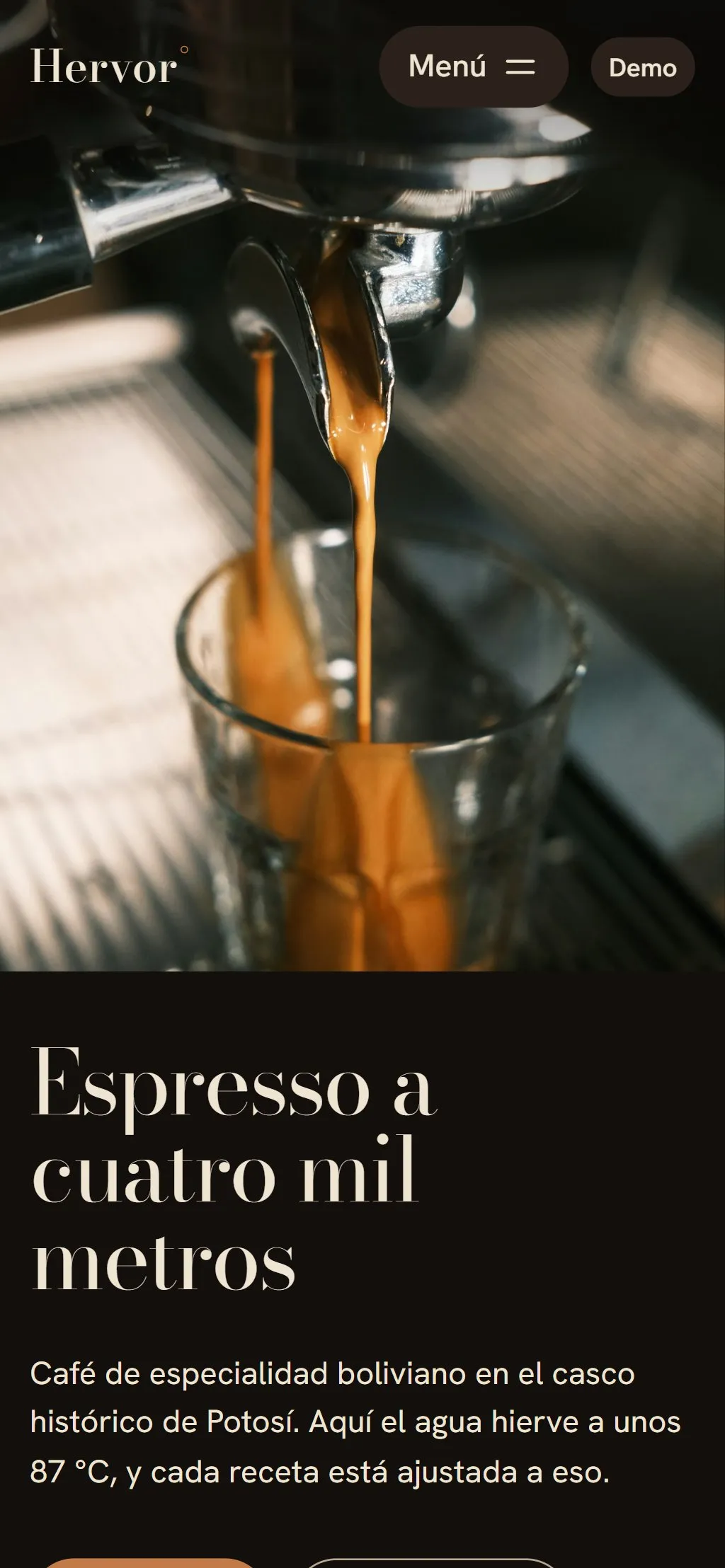
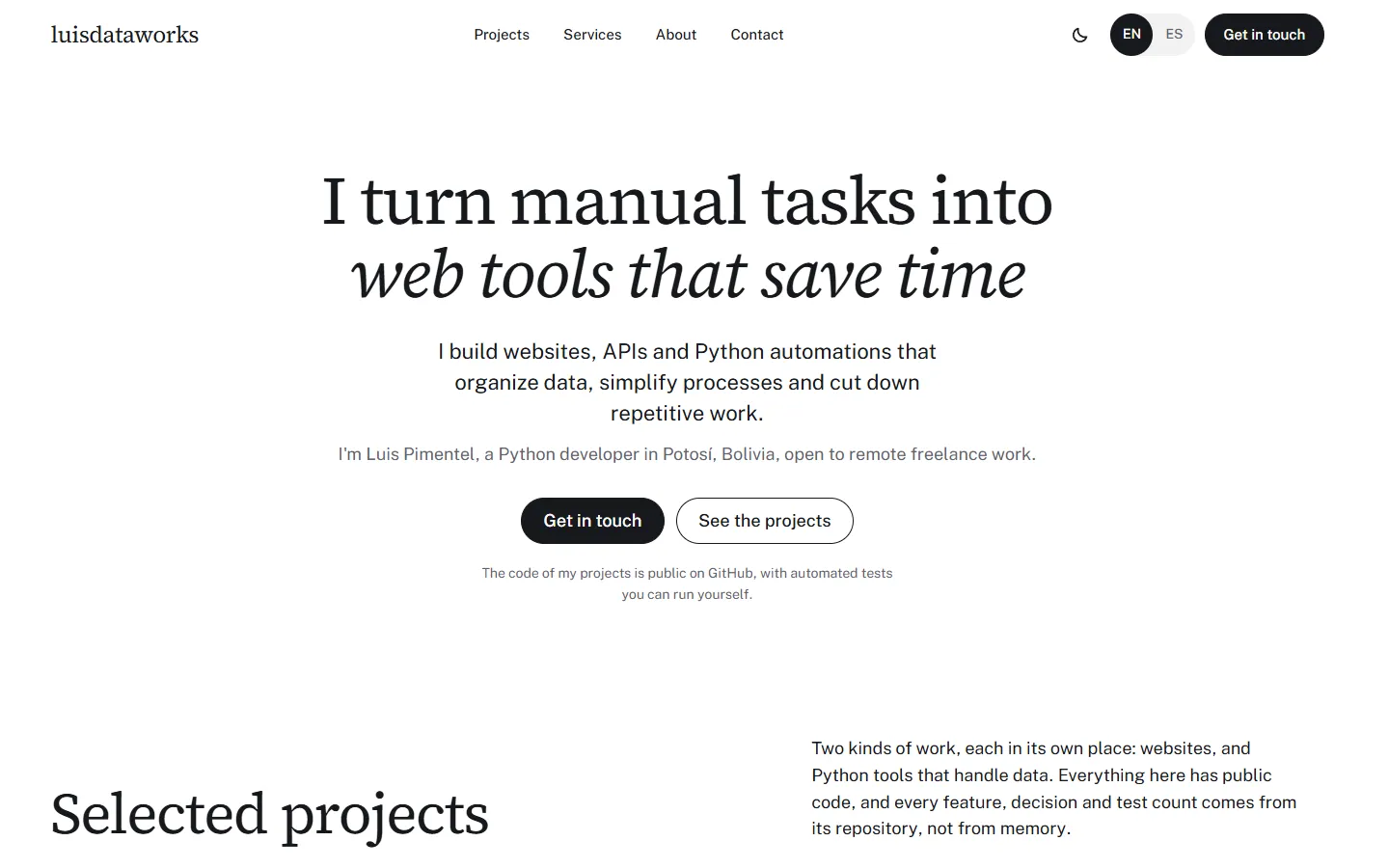
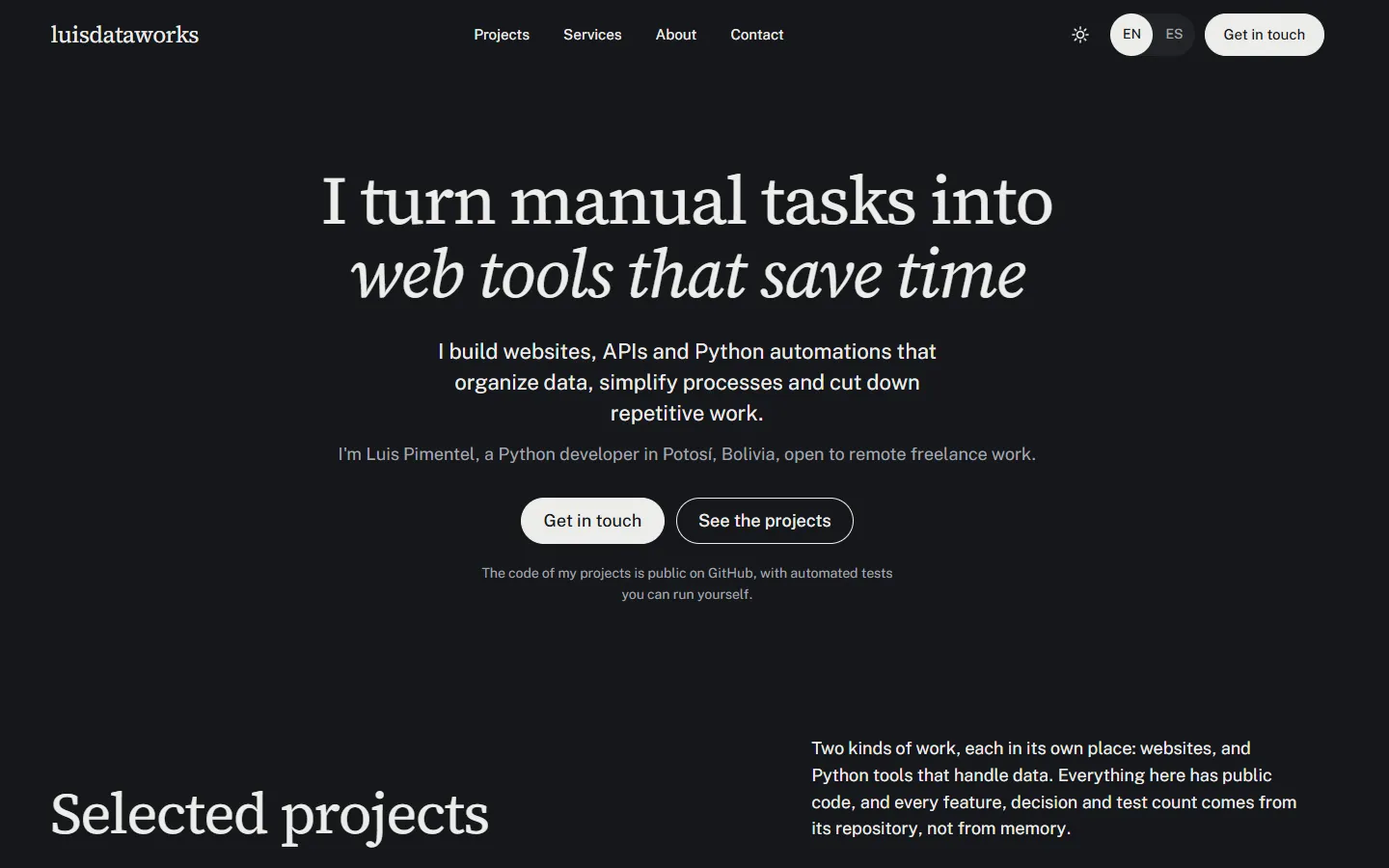
The first screen of this site: the headline, a short description and two buttonsThe first screen of this site in the dark theme
Screenshot of the site.

luisdataworks (this site)

Purpose

My bilingual portfolio: it presents my projects and services and makes it easy to get in touch.

What it has
  • English and Spanish versions, each with its own address
  • Light and dark themes that remember the visitor's choice
  • Animations that follow the reduced-motion setting
  • No trackers, cookies or analytics
  • Built with Astro and TypeScript, published by GitHub Actions on GitHub Pages
What each package looks like

One concept demo per package, each a separate site for a fictional business. A demo appears here once it is built and published.

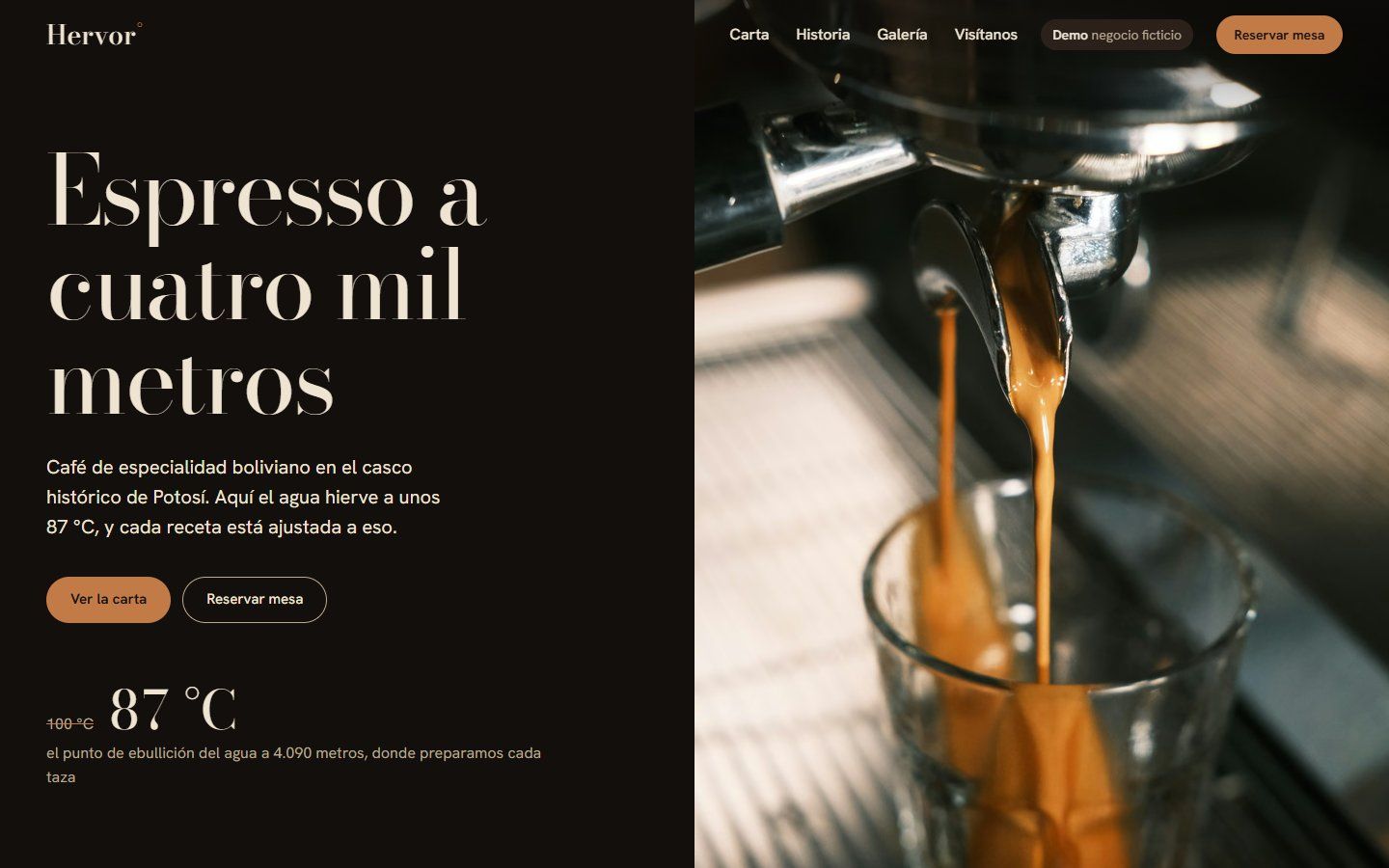
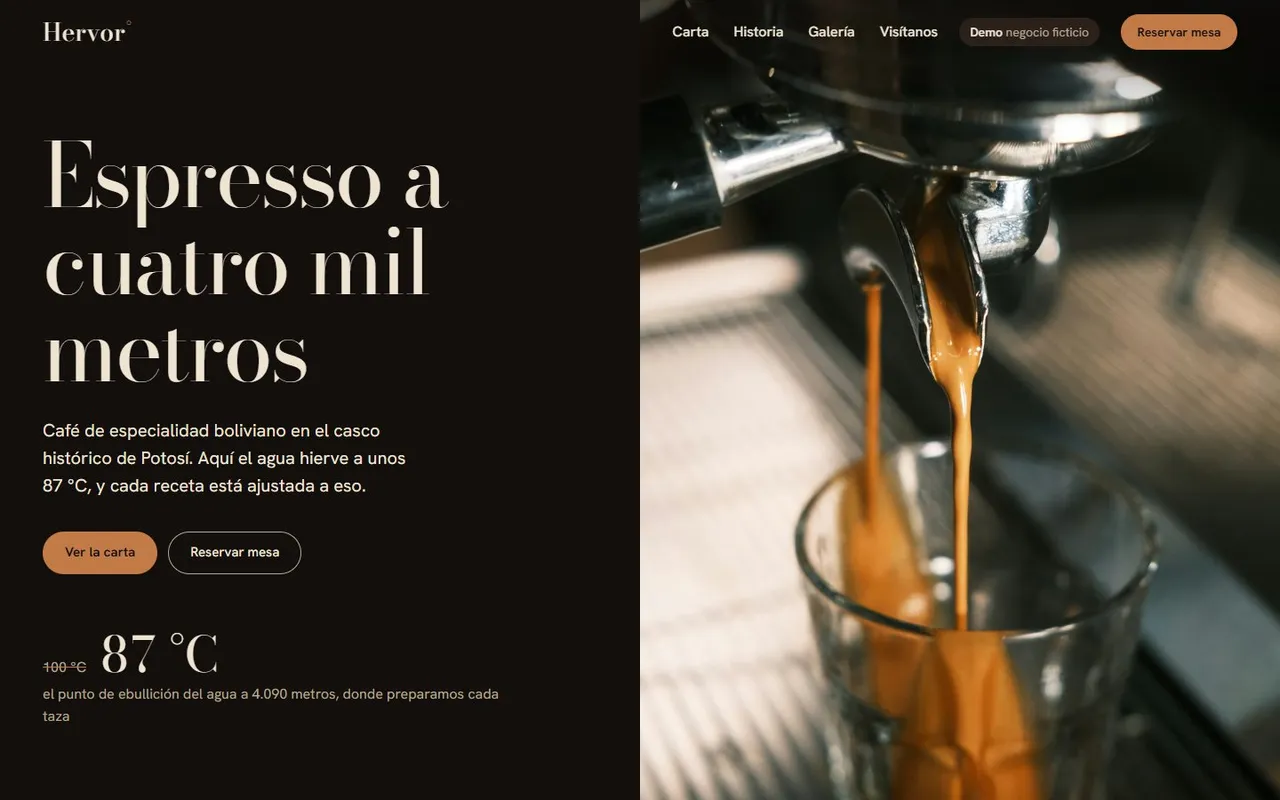
Hervor's home page: an espresso pouring into a glass beside the headline “Espresso at four thousand metres” and a temperature of 87 °C.

Essential

Hervor, high-altitude coffee

Café

Concept demo: a fictional business

Goal

A one-page website for a fictional café in Potosí: fast, clear and easy to use on a phone, with everything a customer looks for before visiting.

What it shows
  • Menu in accessible tabs: photo, items and prices by category
  • “Open now / Closed”, worked out from the opening hours in Bolivian time
  • Gallery with a viewer: arrows, swipe and Escape to close
  • Four-step table booking that prepares the message without sending data
  • Static site: no server, cookies or analytics; works without JavaScript
Aurea's home page: a basalt headland above the sea at sunset, with the hotel's name and the line “Twenty-two rooms on a basalt headland”.

Professional

Aurea, a hotel on Cabo Lumbre

Boutique hotel

Concept demo: a fictional business

Goal

The website of a fictional boutique hotel on the Atlantic: multi-page editorial design with scroll-linked animation, room galleries and a demo booking flow.

What it shows
  • Custom editorial design: Fraunces and Manrope type, an ivory, night and brass palette
  • GSAP animation linked to scrolling, without taking over the scroll
  • Room explorer, galleries and a full-screen viewer
  • Five-step demo booking, with validation at each step
  • Reduced-motion mode, keyboard and screen reader support; tested at 1440, 390 and 320 px
  • AVIF and WebP images per screen size; the video loads only when it comes into view
  • Signature

    Contemporary silversmith's workshop, inspired by Potosí

    Future project Not built yet: there is no demo to open. Its preview and link will appear here once it is published.

Python, data & automation

Personal projects, not client work: tools that import, check and move data. Each one runs on your own machine, and its code is public on GitHub.

QuoteFlow

Import quotes from CSV, Excel and PDF, with human review

Useful if your business receives quotes, price lists or orders as CSV, Excel or PDF files, and someone types them into a system by hand.

Personal project with public code. It runs on your own machine; there is no public demo. Its interface is in Spanish.

The problem

Quotes arrive as CSV, Excel and PDF files. Typing them into a system by hand is slow, and a wrong value or a repeated row is easy to miss and hard to undo once it is saved.

What I built

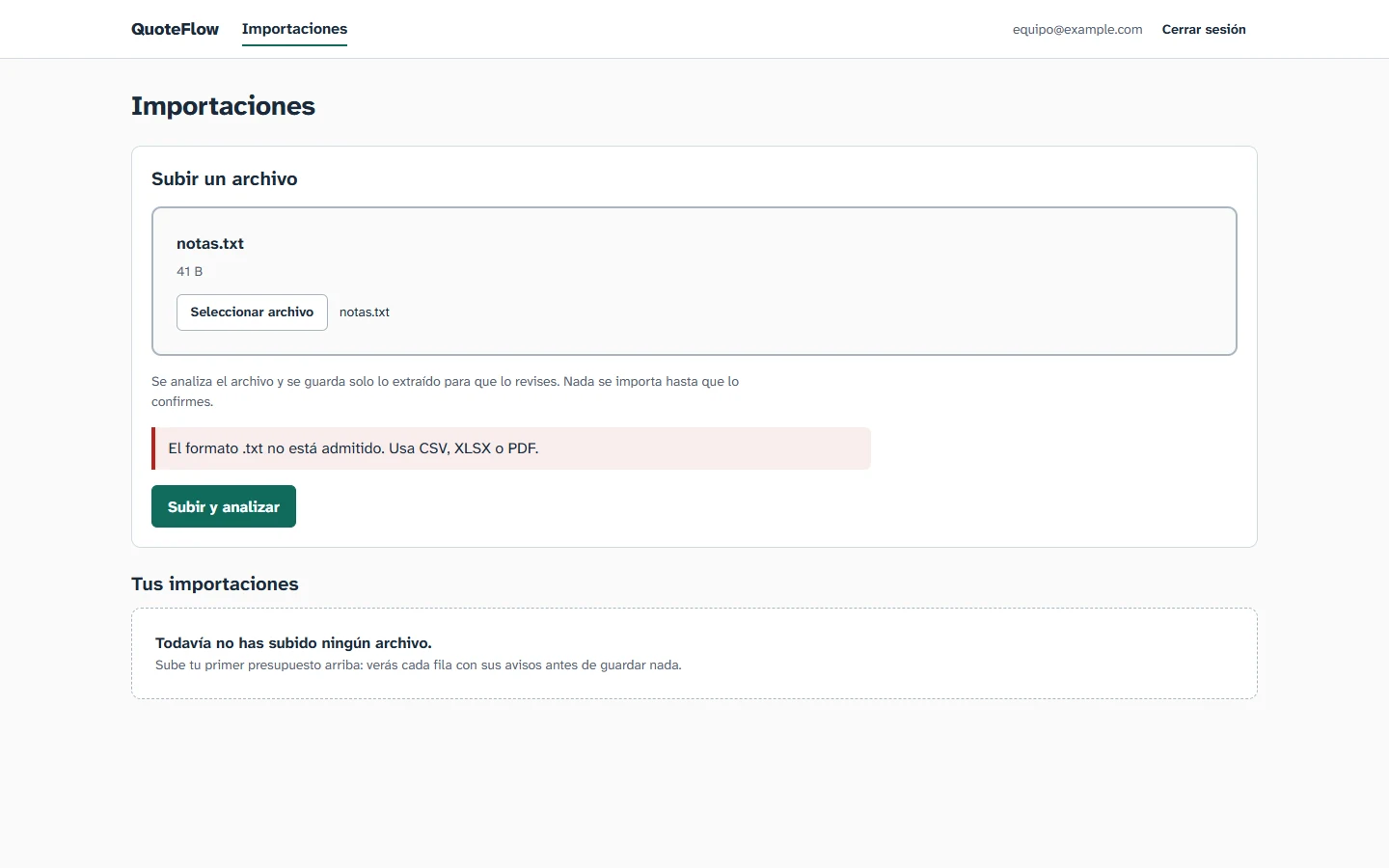
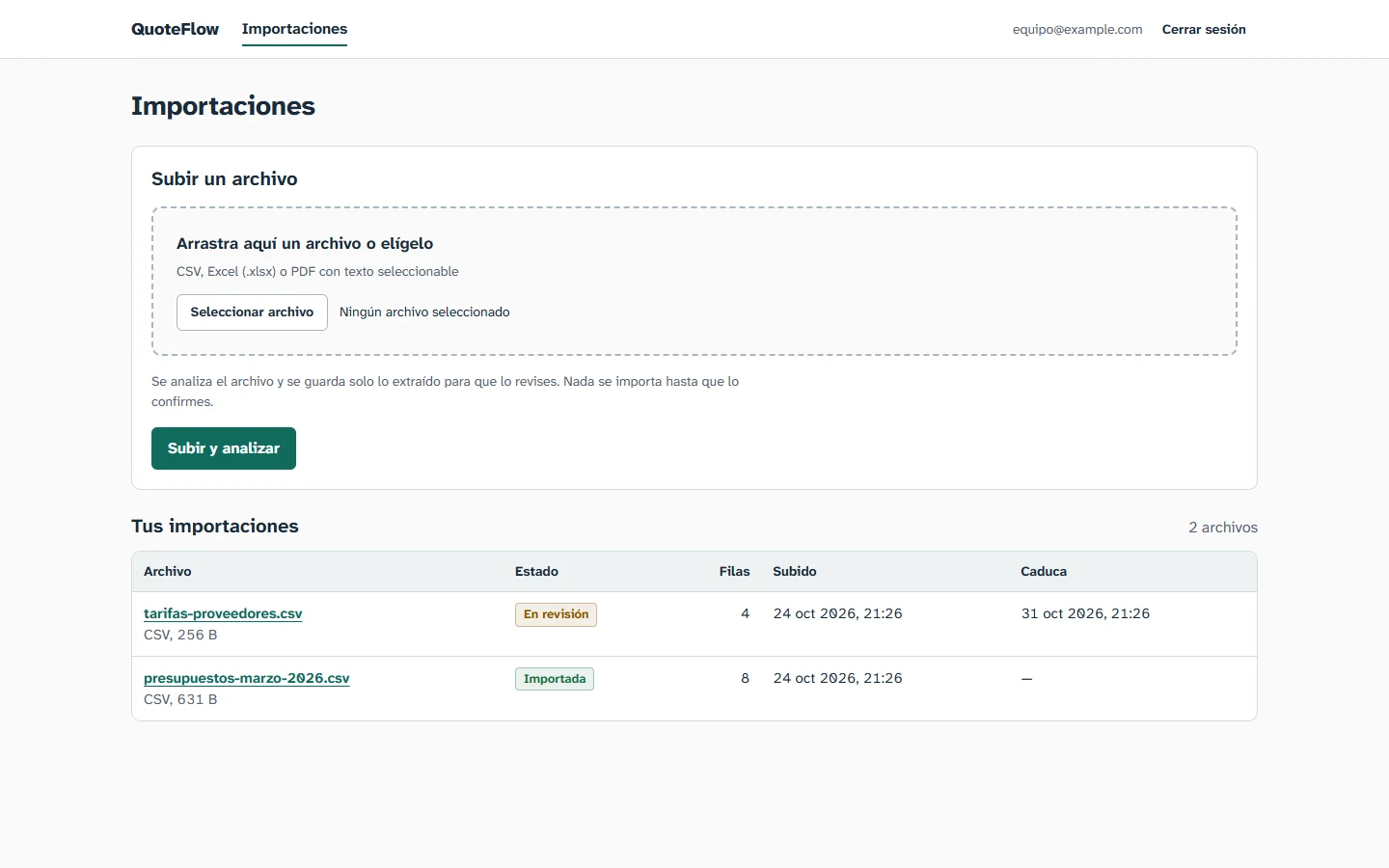
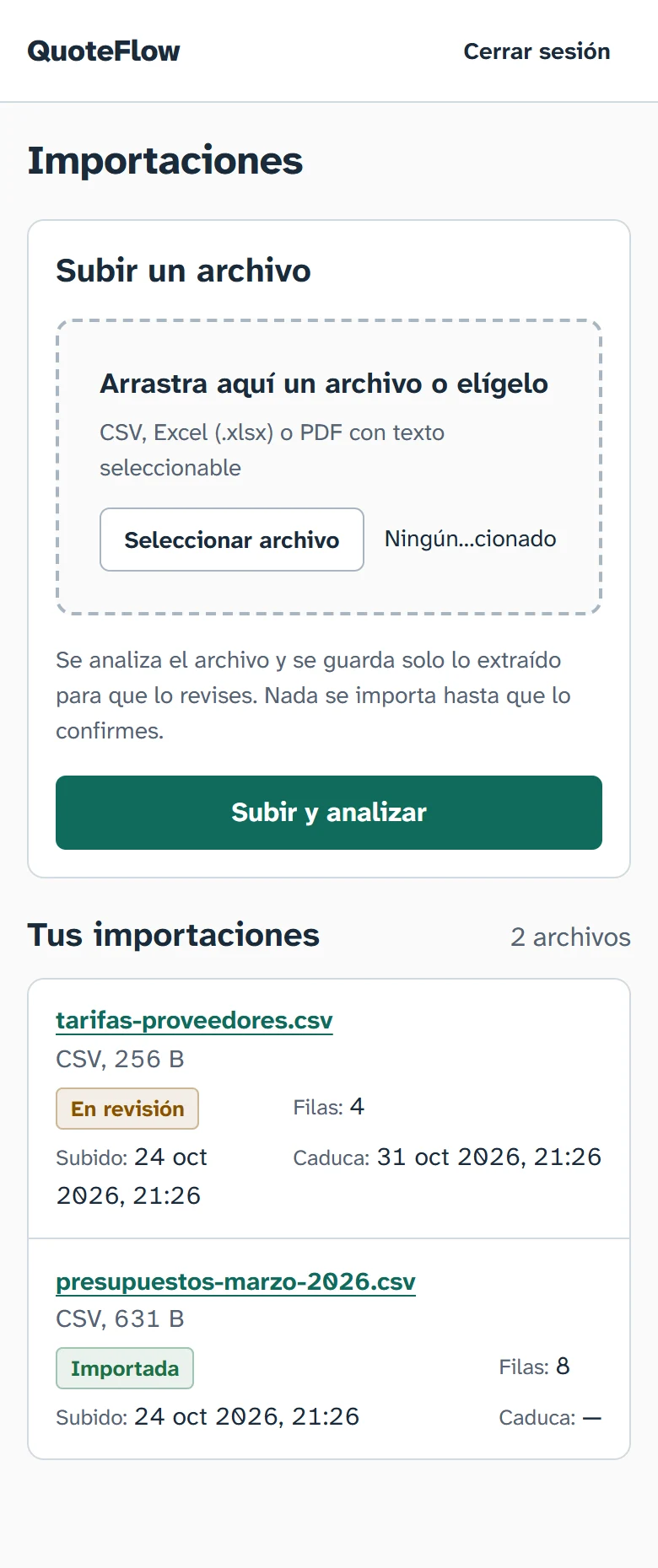
QuoteFlow imports quotes from CSV, XLSX and PDF files. Each file is parsed in an isolated process, validated and checked for duplicates, then held for review. Nothing is saved as a record until a person confirms it.

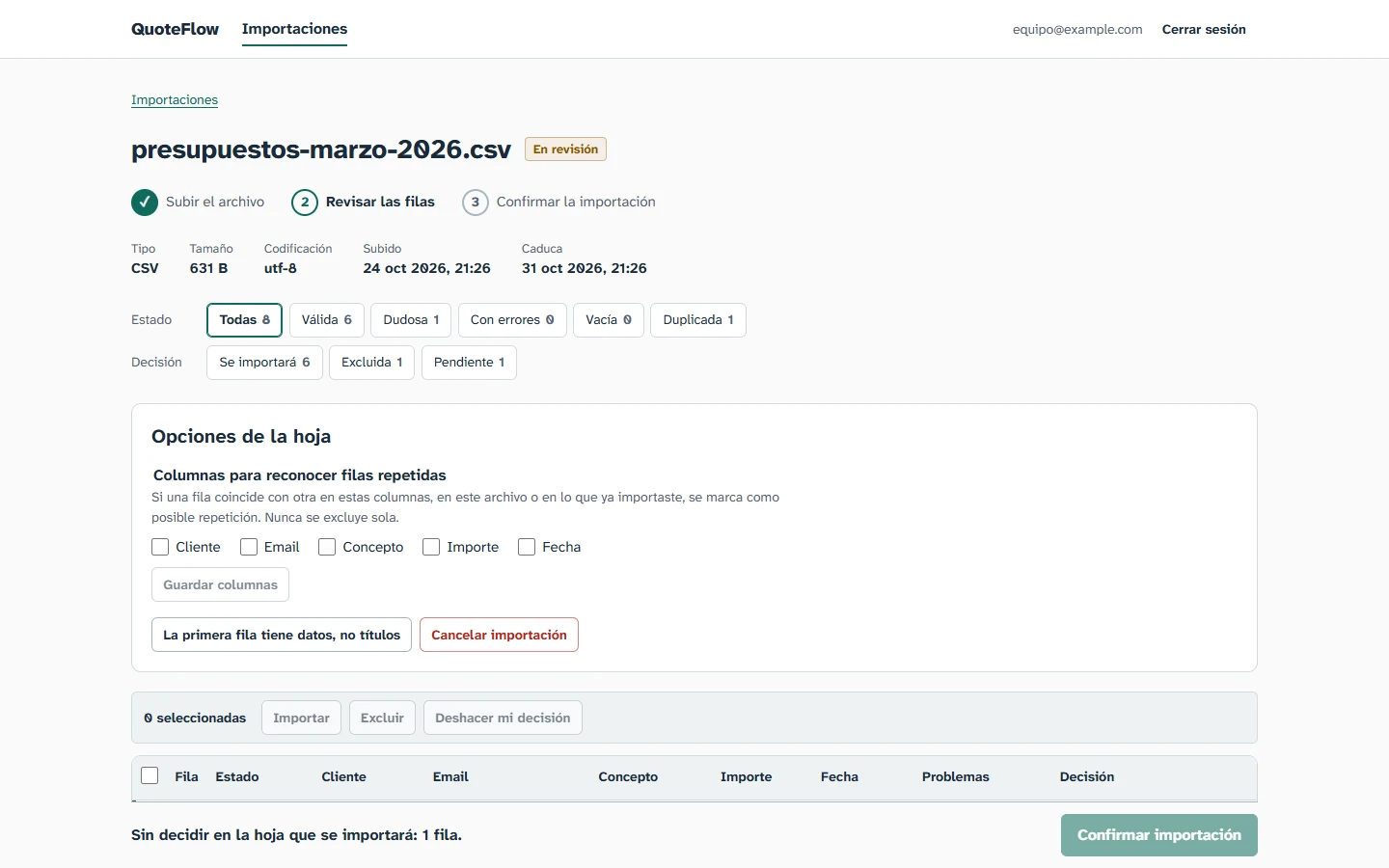
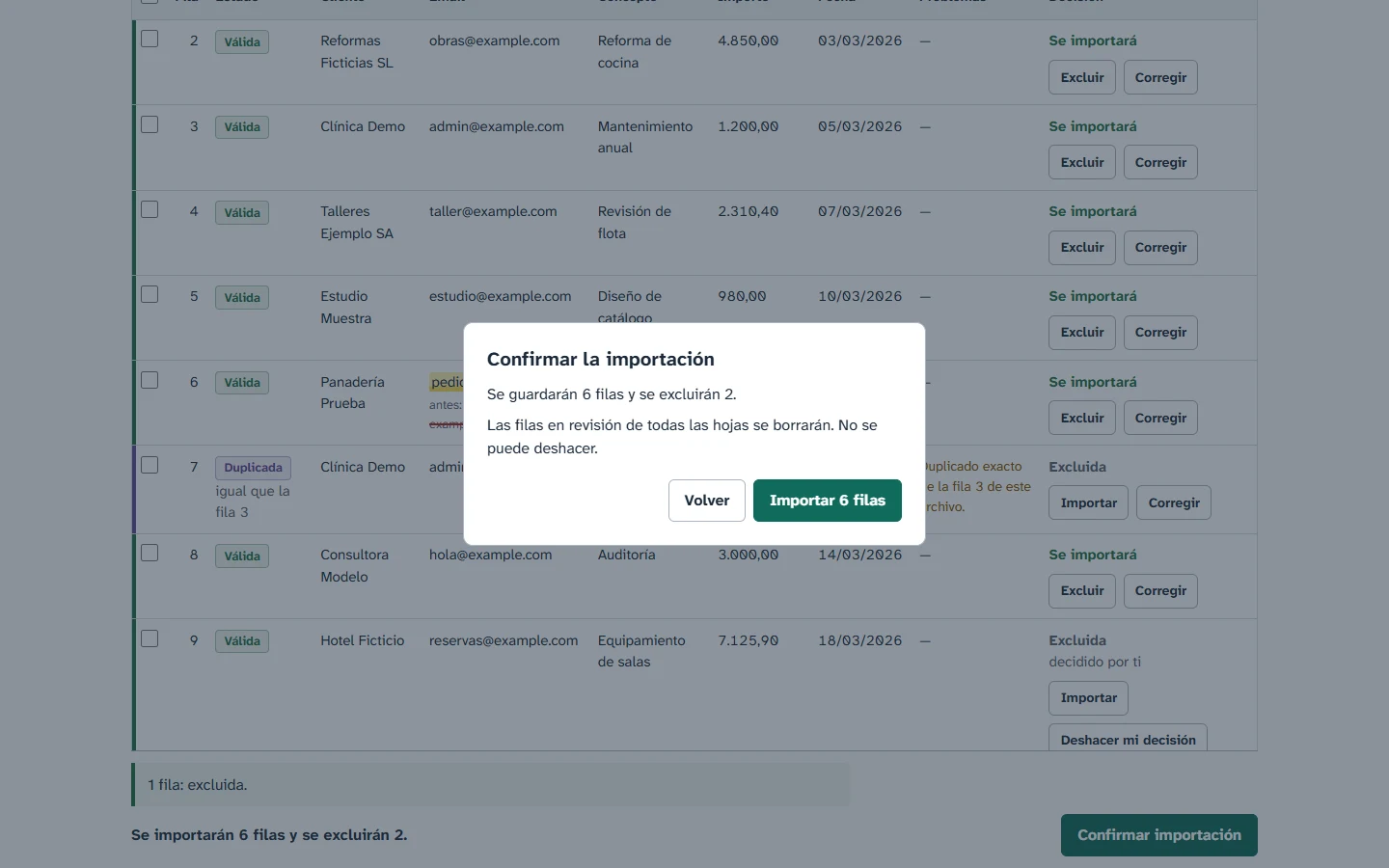
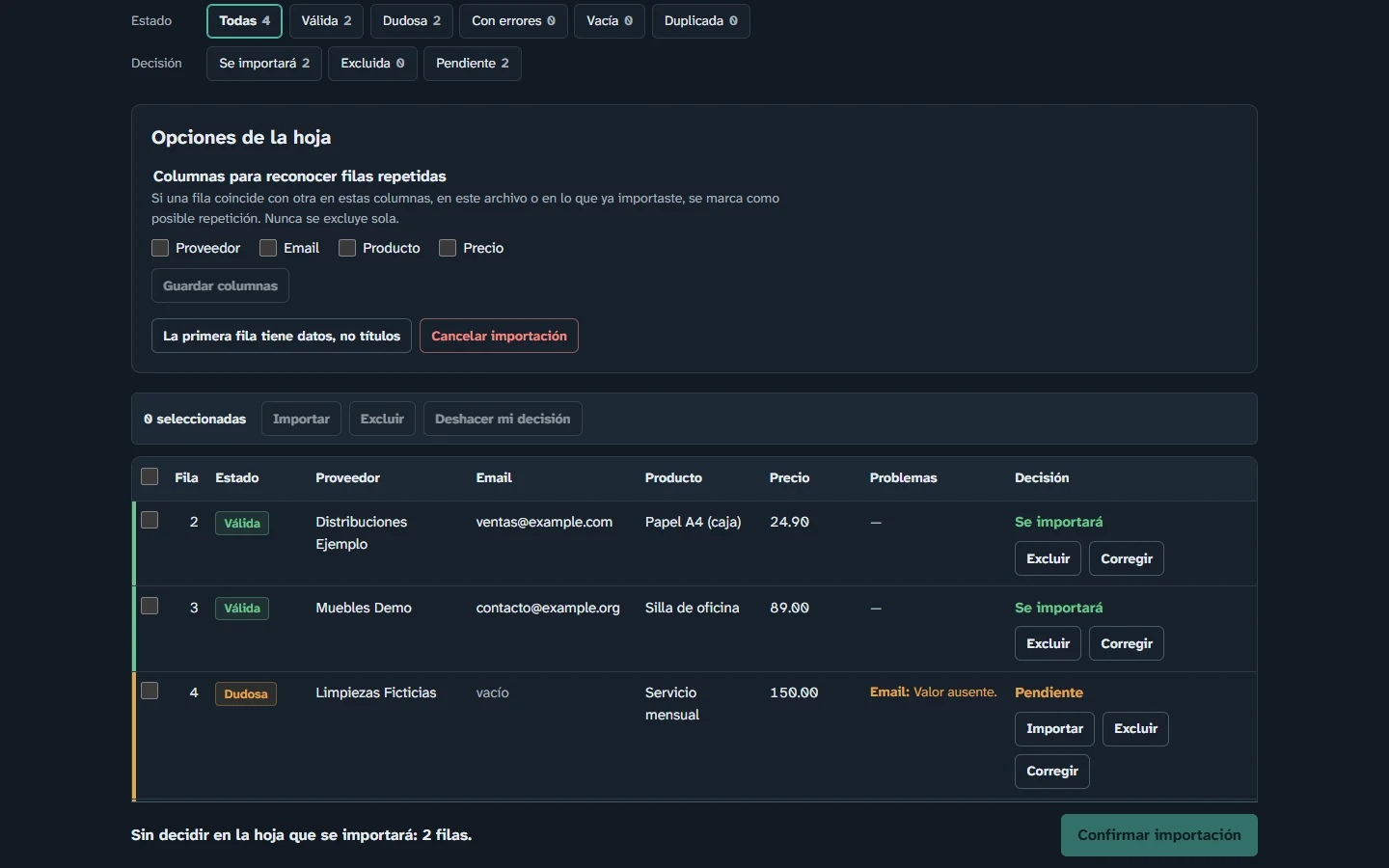
QuoteFlow review screen with steps, filters and sheet options
Review: steps, row filters by status and decision, and sheet options.
What you can do with it
  • Upload a CSV, Excel or PDF file and see every row checked before anything is saved
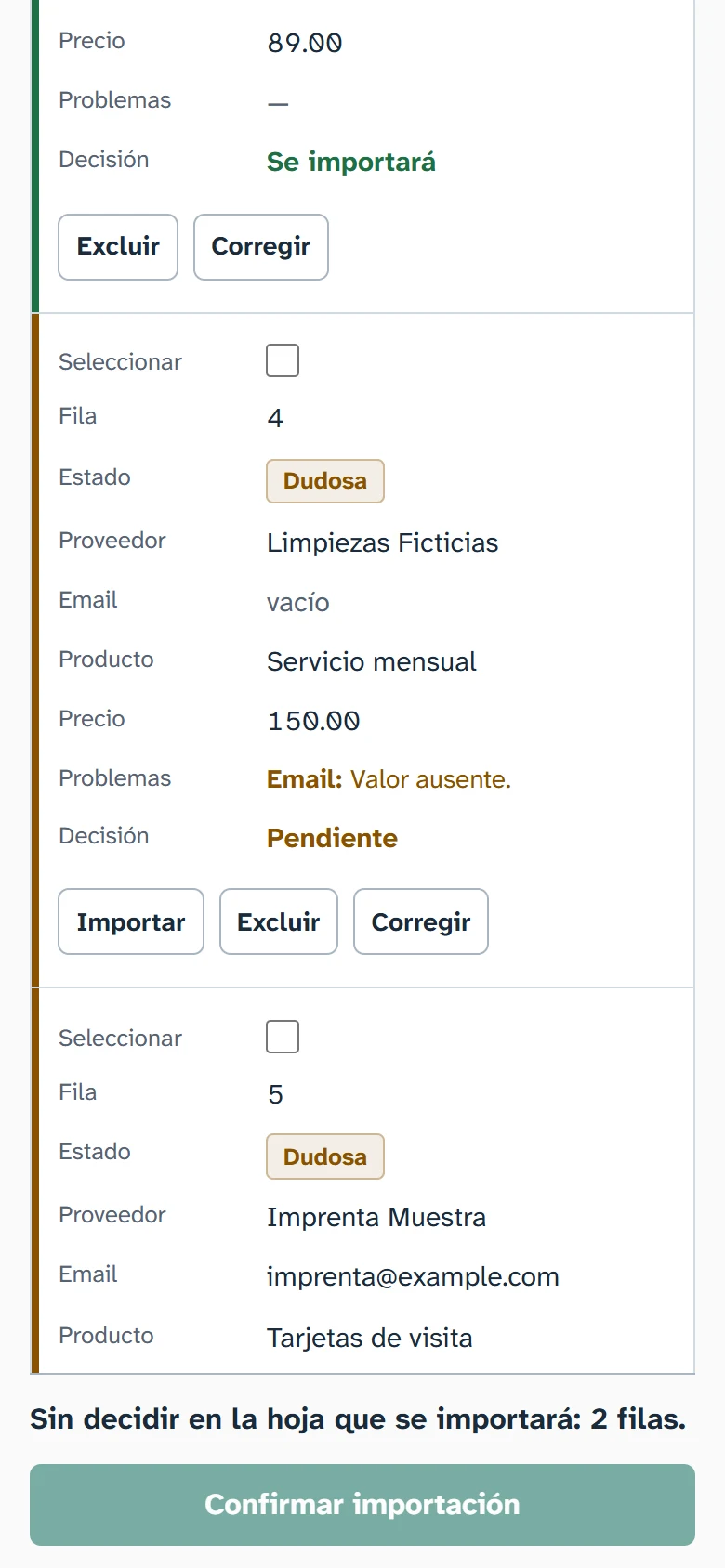
  • Filter the rows by status and decision, then accept, exclude or correct them, one by one or in bulk
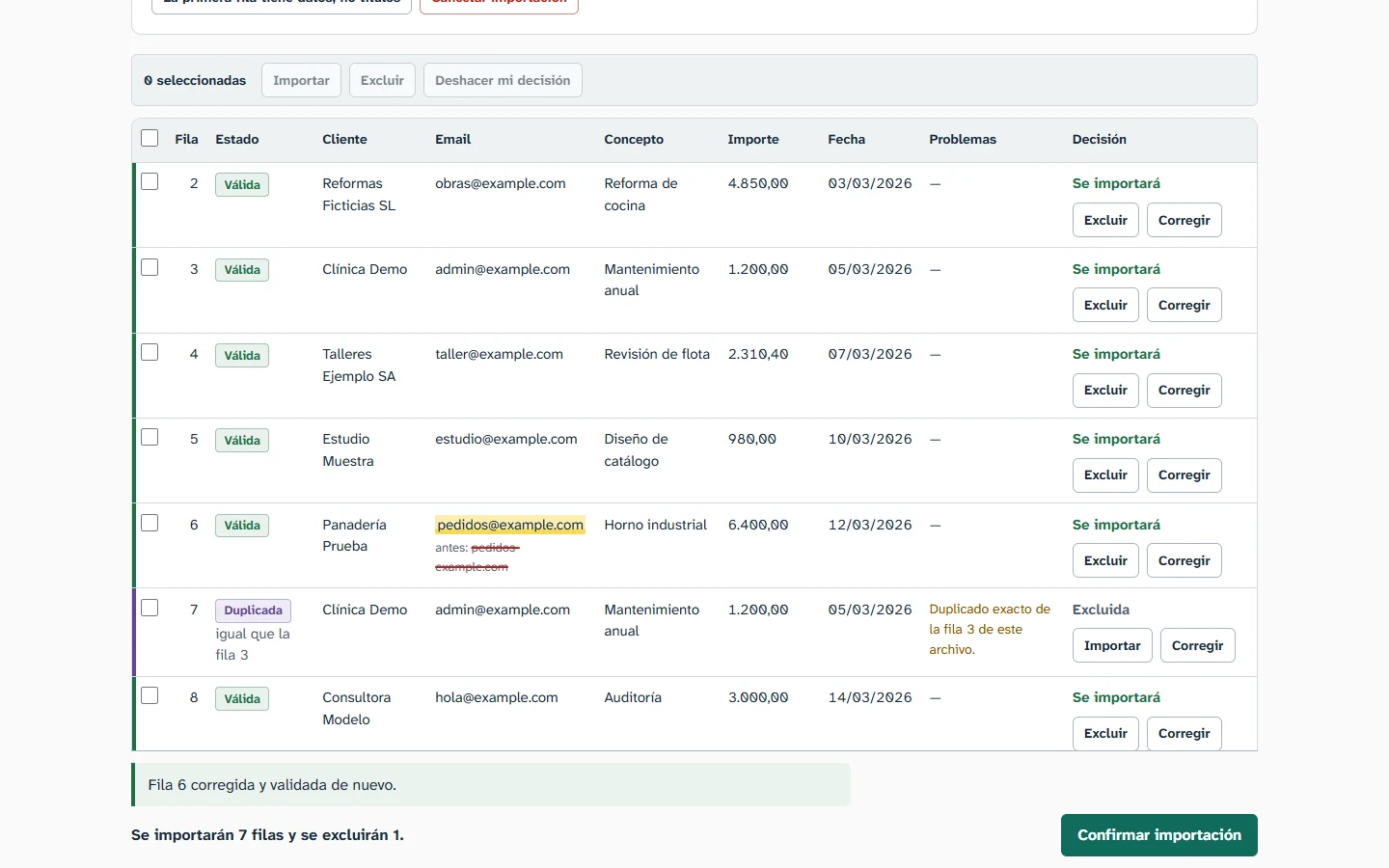
  • See each corrected value highlighted, with the original value struck through
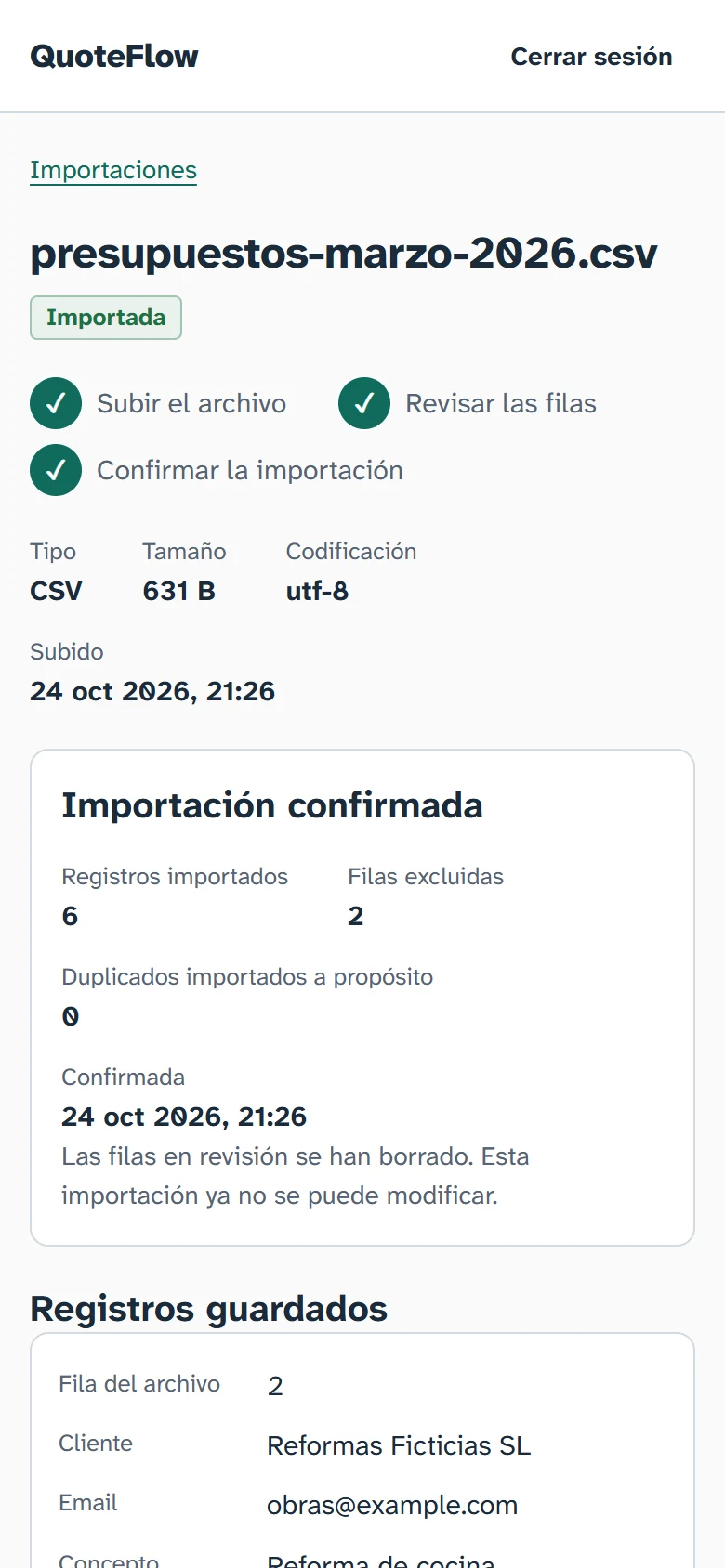
  • Confirm the import after a summary of how many rows will be saved and how many excluded
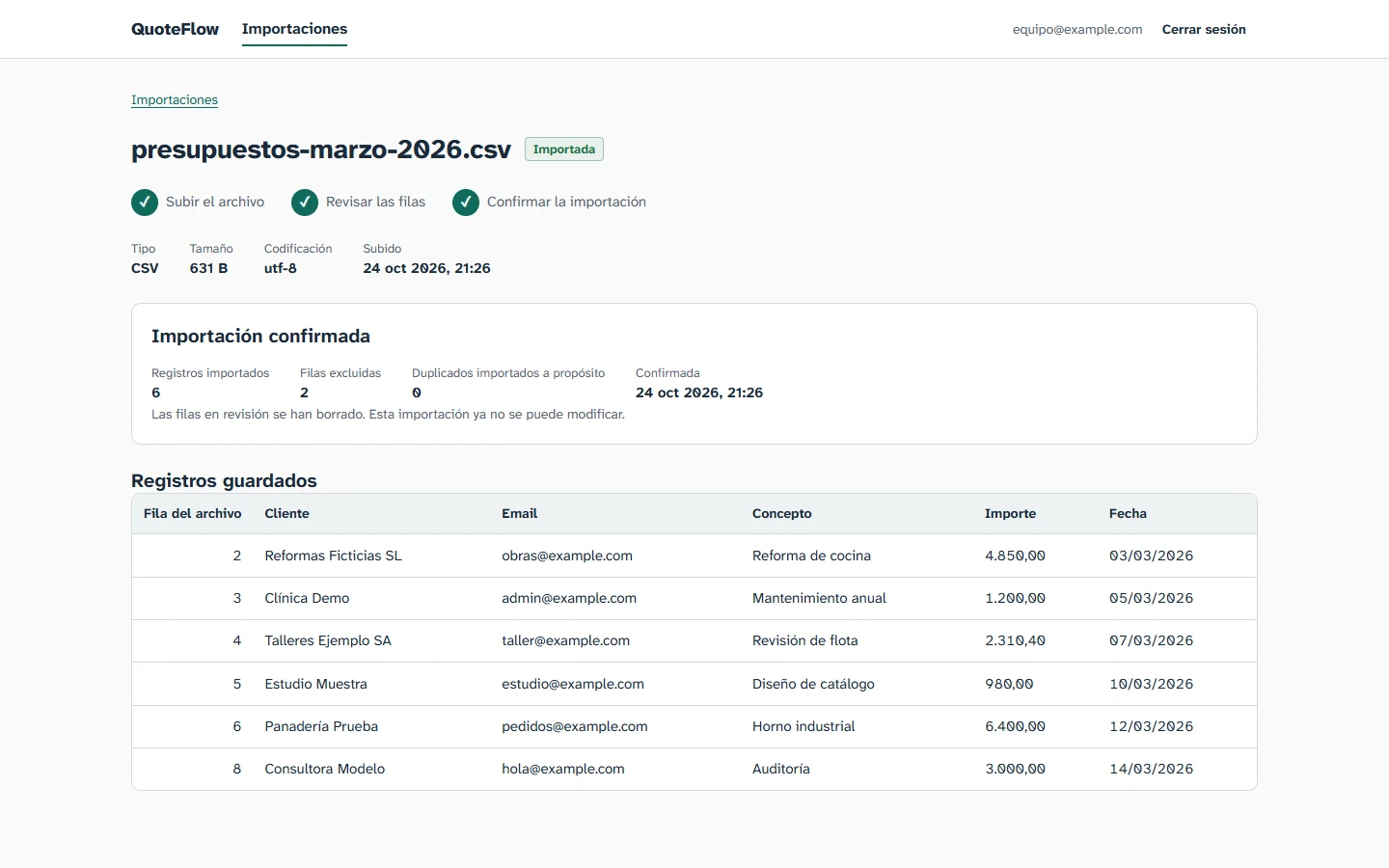
  • Browse the records each confirmed import saved
Code on GitHub (opens in a new tab)
Technical detailsFeatures, decisions, tests and limitations
Live demo
No public demo: it runs locally.
License
MIT
Built with

Python, FastAPI, SQLAlchemy 2, Alembic, psycopg 3, Argon2, PyJWT, openpyxl, pypdf, PostgreSQL 18, Next.js 16, React 19, TypeScript, Docker Compose, pytest, node:test, Ruff, ESLint

Features
  • Import pipelineUpload, isolated parsing with size, row and time limits, validation, and duplicate detection against the user's own records.
  • Human reviewFilter rows by status and decision, accept or exclude them one by one or in bulk, and correct cells. A corrected cell stays highlighted, with the original value struck through.
  • Explicit confirmationA dialog states how many rows will be saved and how many excluded before anything is stored.
  • Saved recordsEach confirmed import lists the records it stored, paginated and read-only.
  • SessionsCookie sessions with CSRF protection, Argon2 password hashing and login rate limiting. The page warns before an idle session expires, and unsaved corrections can be recovered after logging in again.
  • Audit logImports and logins are logged, with email addresses pseudonymized.
  • n8n integration (optional)An endpoint that accepts files with a bearer token and an Idempotency-Key. Run by hand against the test database: the first call returned 201, the replay with the same key returned 200 with the same batch. Disabled unless configured.
Technical decisions
  • Nothing is stored without approval.

    Rows wait in a temporary table. Confirming saves the accepted rows of the chosen sheet and deletes every temporary row of the batch in one transaction; any error rolls back.

  • Duplicates are private.

    Rows are compared only with records confirmed by the same user. Other users' records are never compared or revealed.

  • Invalid rows cannot be accepted.

    A request that tries to accept an invalid or empty row is rejected whole, with a 422.

  • Uploads never touch the disk.

    The file is read in memory with a size limit and hashed with SHA-256; it is not written to disk or stored in the database.

  • Production mode refuses unsafe settings.

    With QF_ENV=production the API will not start without secure cookies, HTTPS origins and fresh secrets.

How to run it

Requirements: Docker with Compose, Python 3.12 or later (developed and tested on CPython 3.14), Node.js 24 and npm.

A fresh install on Windows PowerShell, as the project's README gives it. The README also covers an existing database, macOS and Linux.

  1. Settings: copy the example, then replace every “change-me” value

    Copy-Item .env.example .env
  2. Check that no database exists yet: this command must fail with “no such volume”

    docker volume inspect quoteflow_pgdata
  3. Start PostgreSQL, with the main and the test database

    docker compose up -d
  4. Backend: virtual environment and the exact versions the tests passed with

    cd backend
    py -3.14 -m venv .venv
    .\.venv\Scripts\python -m pip install -e ".[dev]" -c constraints.txt
  5. Databases: the test one, then the main one (“alembic current” must print no revision)

    .\.venv\Scripts\alembic -x db=test upgrade head
    .\.venv\Scripts\alembic current
    .\.venv\Scripts\alembic upgrade head
  6. Development admin user, then the API on port 8000

    .\.venv\Scripts\python -m app.cli create-admin
    .\.venv\Scripts\uvicorn app.main:create_app --factory --host 127.0.0.1 --port 8000
  7. Frontend, in a second terminal; then open http://localhost:3000

    cd frontend
    npm ci
    npm run dev
Tests you can run

512

backend tests

pytest, against a separate test database that is emptied between tests

46

frontend tests

node:test, against the production build with a fake API

Also checked with Ruff (lint and format), ESLint and the TypeScript compiler.

cd backend
.\.venv\Scripts\python -m pytest
.\.venv\Scripts\ruff check .
.\.venv\Scripts\ruff format --check .

cd ..\frontend
npm run lint
npm run build
npx tsc --noEmit
npm test
Known limitations
  • The interface is in Spanish only, and times are always shown in the America/La_Paz time zone.
  • Saved records can be browsed per import; there is no search across imports yet.
  • Expired reviews are purged by a command that has to be scheduled separately.
  • Not production-ready: HTTPS deployment, secret rotation, upload concurrency limits and an OS-level memory limit for parsing are still open.

LeadFlow

Lead capture form and a small CRM

Useful if enquiries reach you through a form on your website and you need to follow up each one, without duplicates and without losing track.

Personal project with public code. It runs on your own machine and has no user accounts, so it is meant for local use.

The problem

Enquiries from a website form tend to end up in an inbox or a spreadsheet. The same person can be saved twice, and it becomes hard to see who was contacted, what was said and what comes next.

What I built

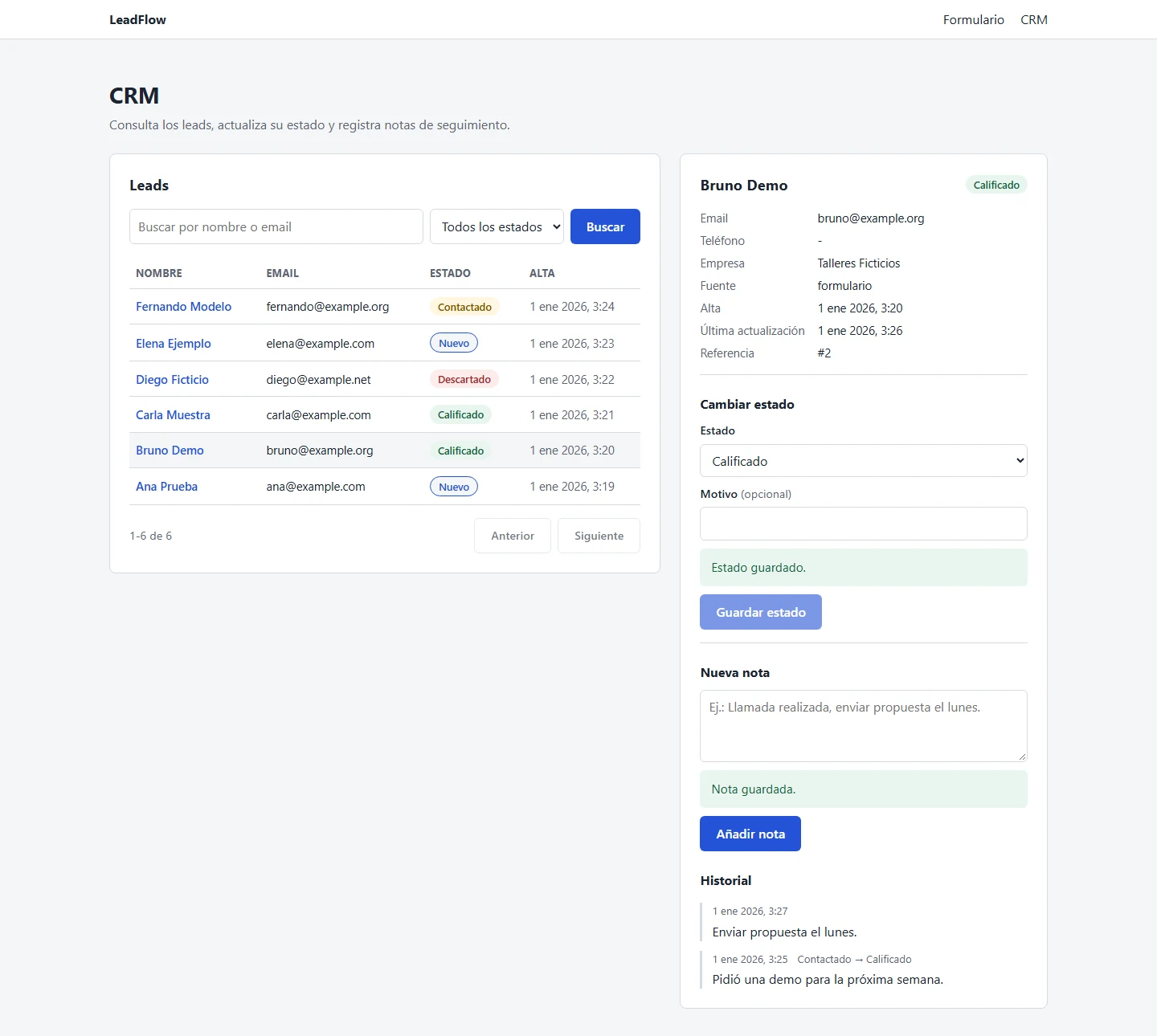
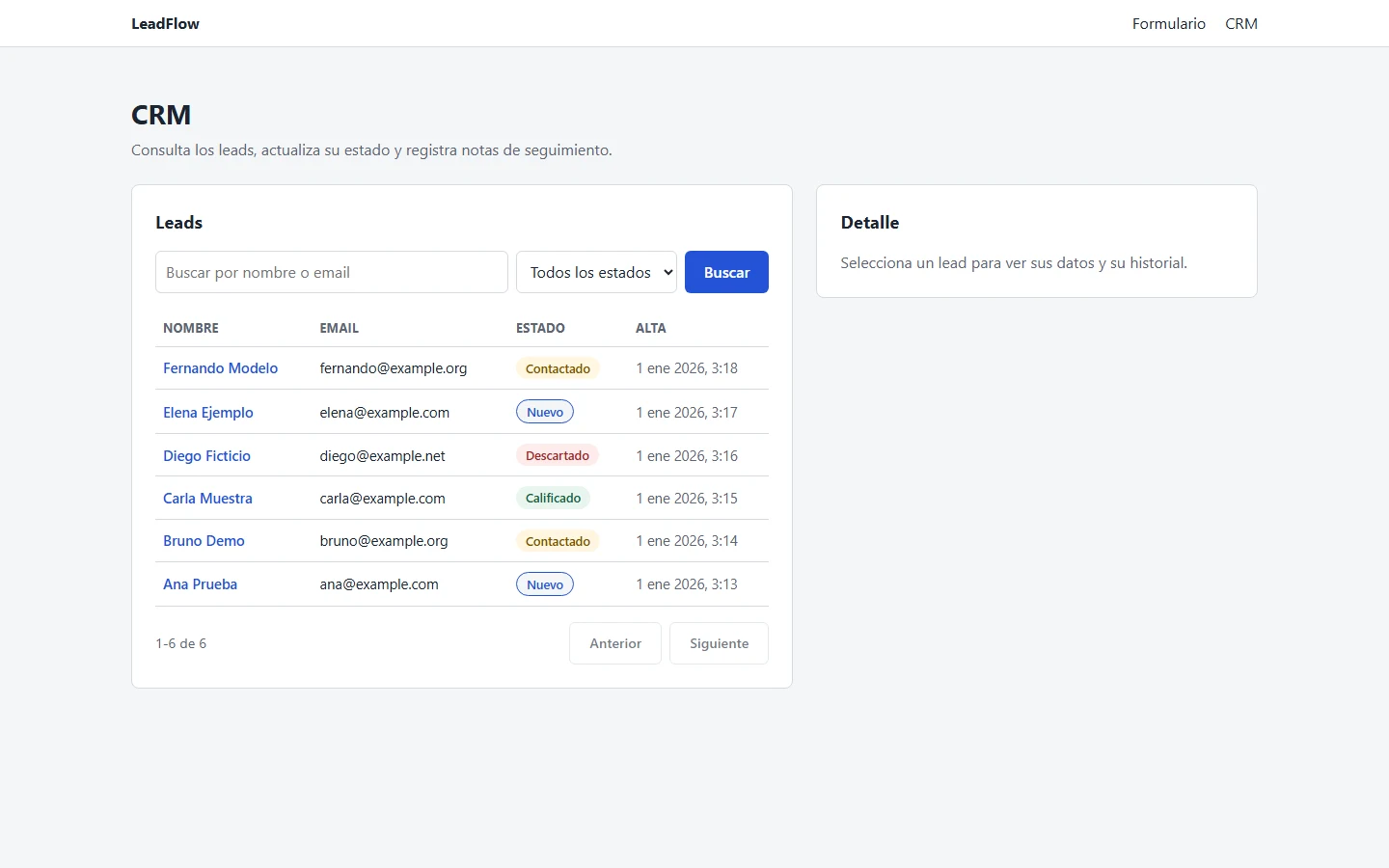
LeadFlow captures leads from a web form, stores them in PostgreSQL without duplicates, and tracks each lead's status, follow-up notes and history in a simple CRM panel.

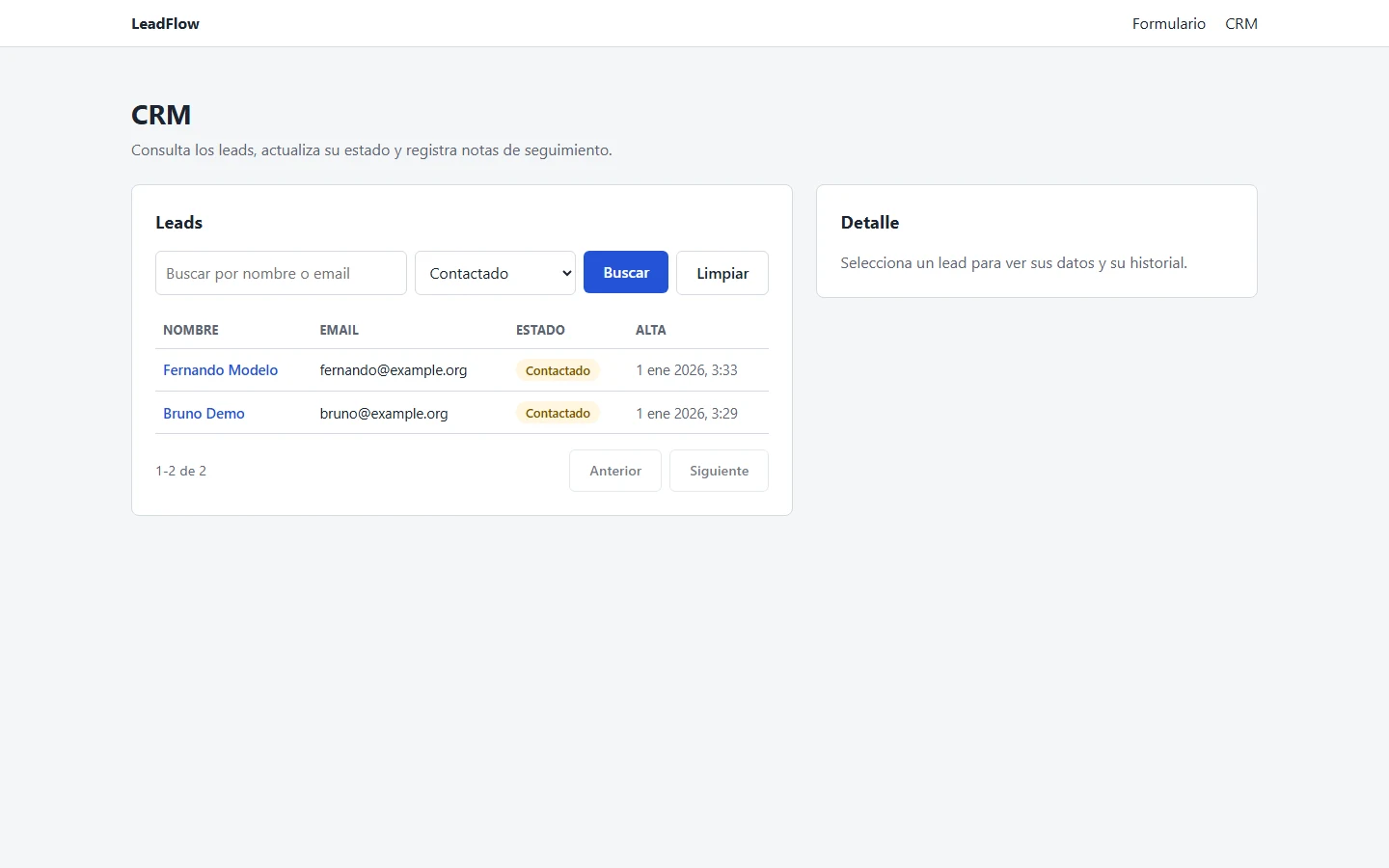
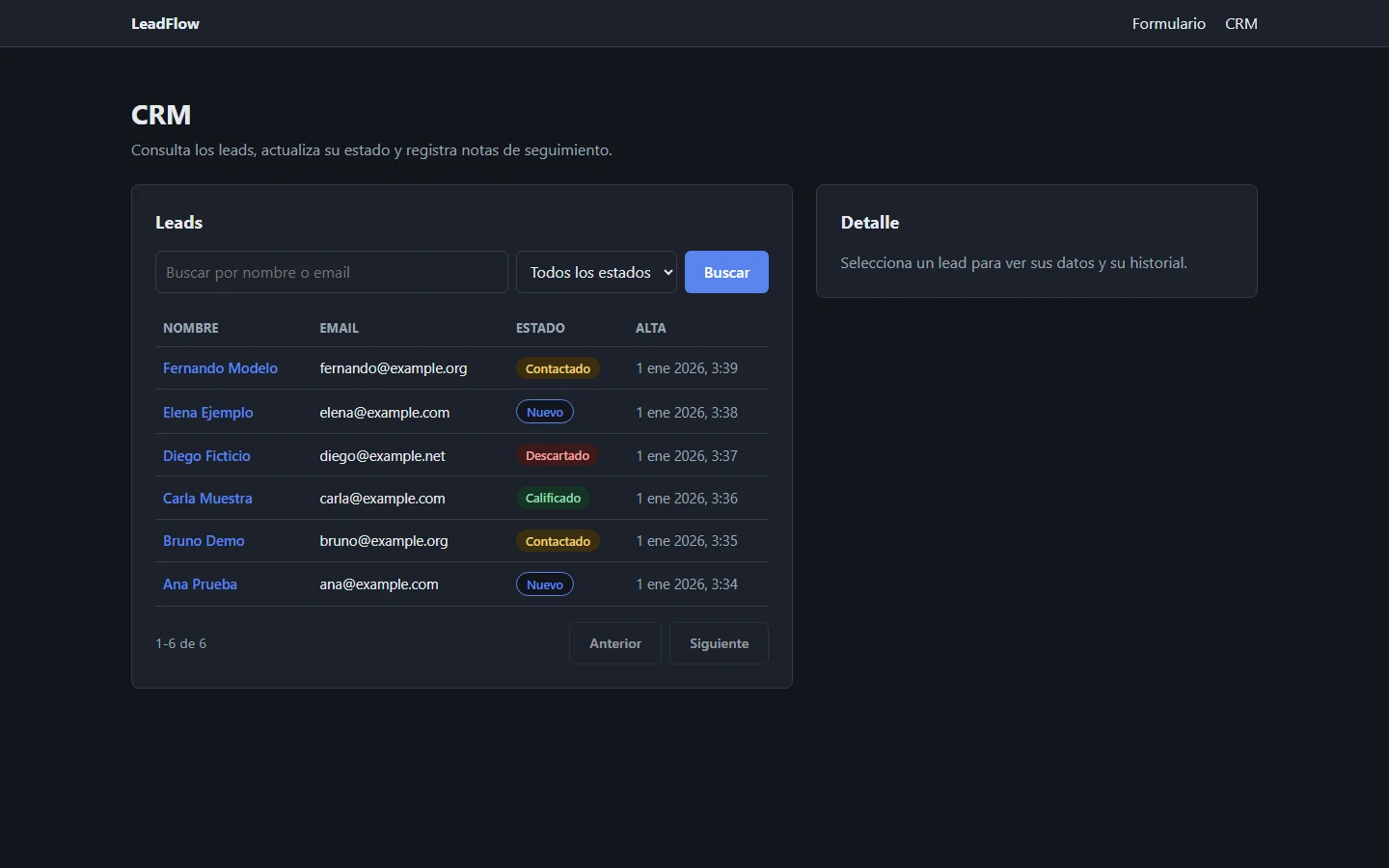
LeadFlow CRM with a lead's details and history
CRM panel: a lead's details, status change and history of notes.
What you can do with it
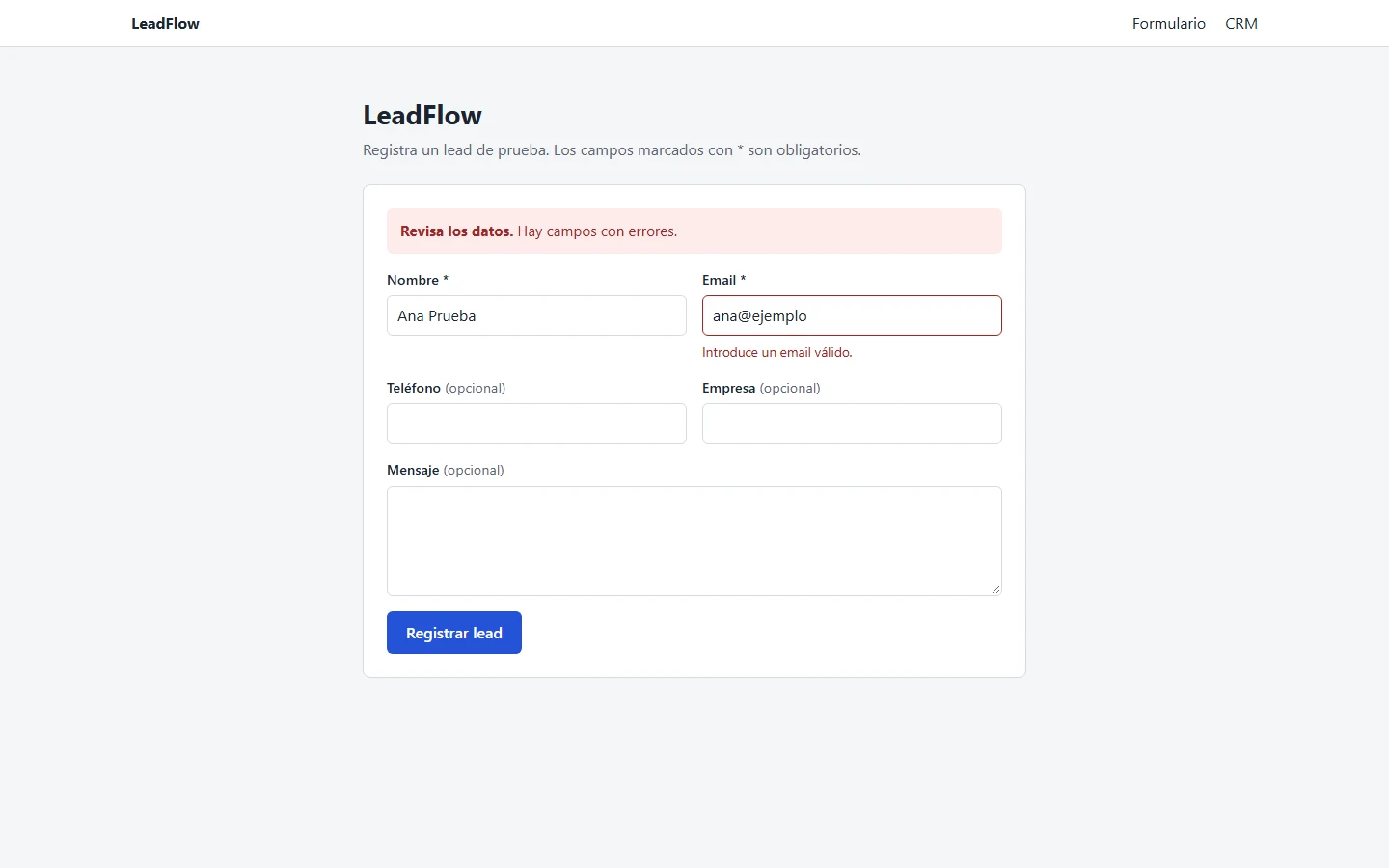
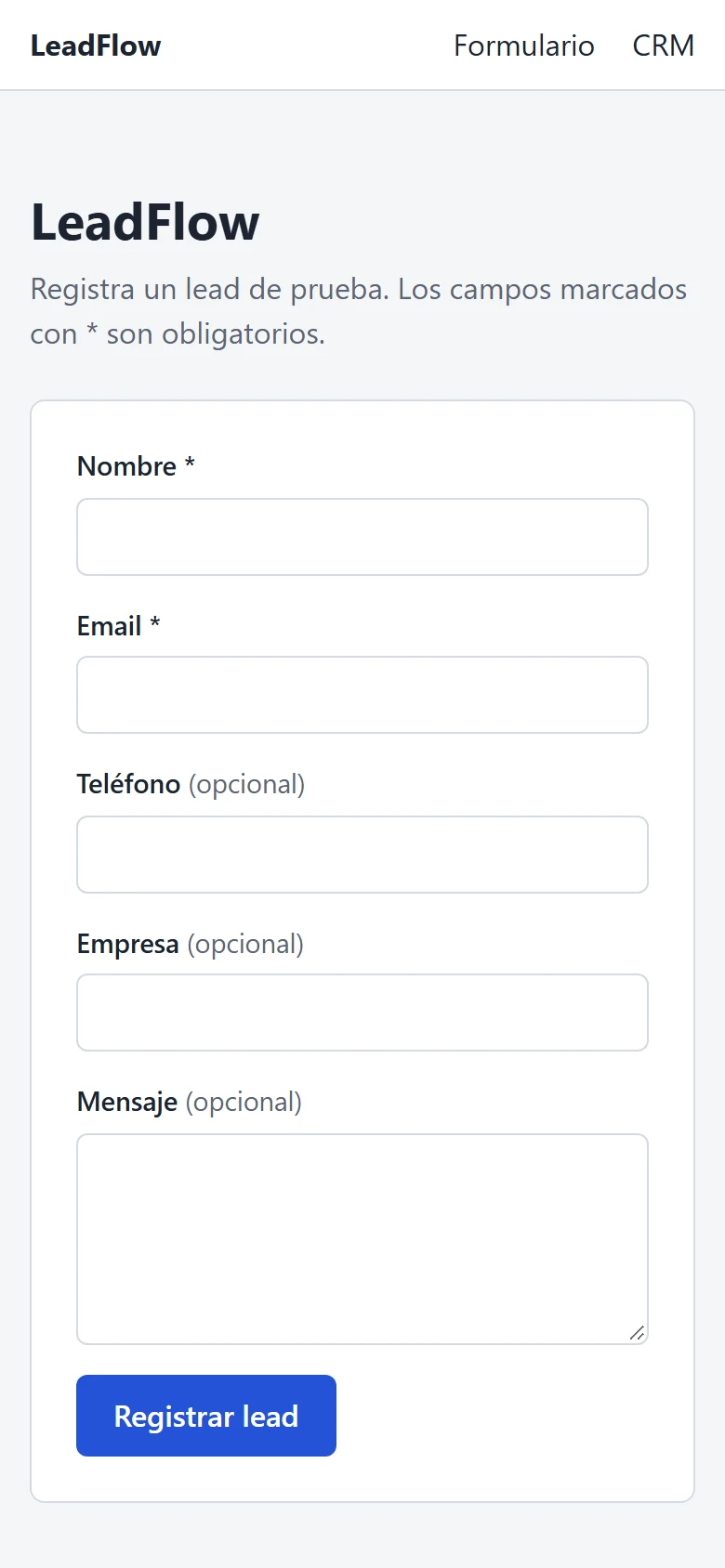
  • Send a lead through a form that points out each error next to its field
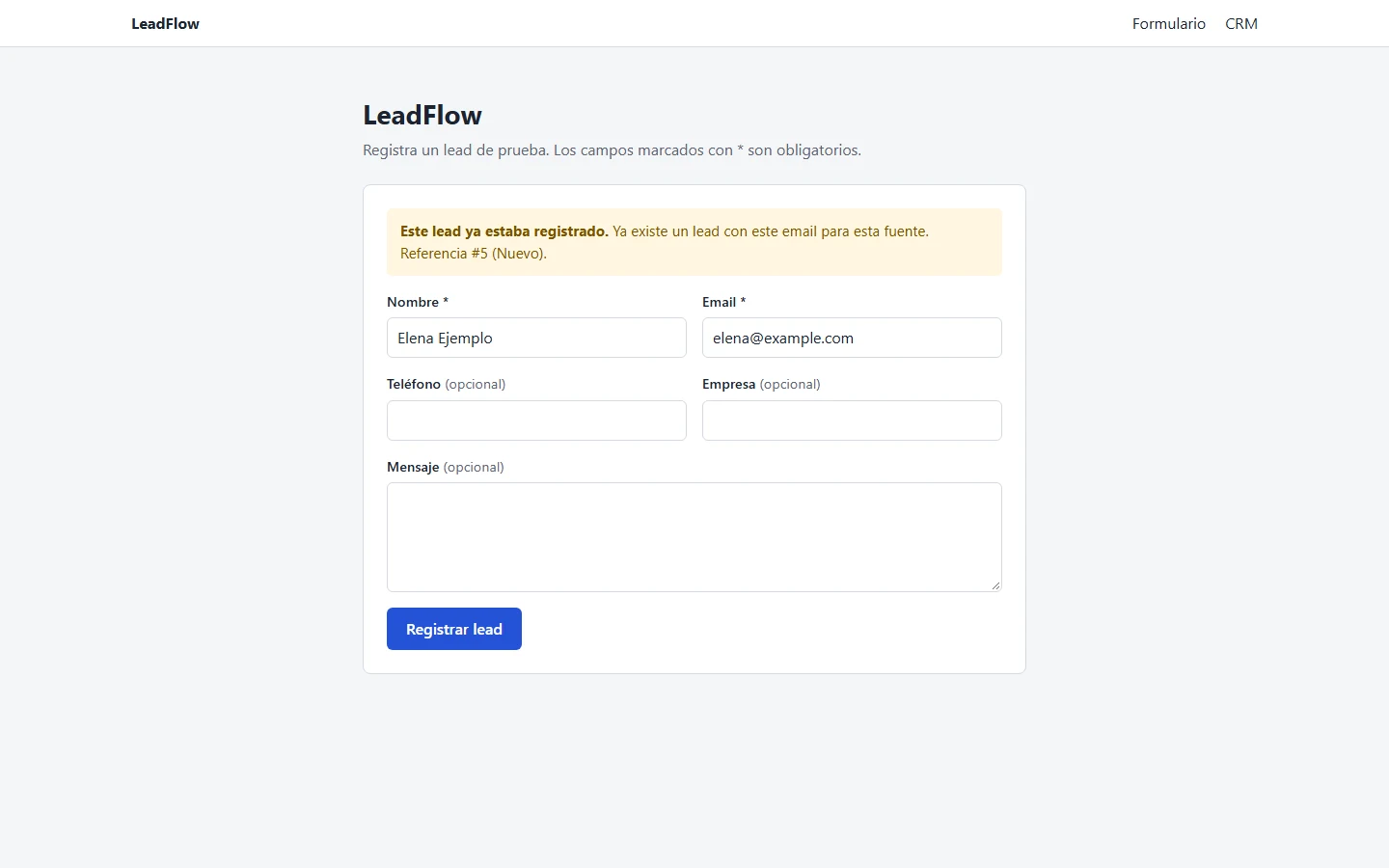
  • Send the same lead twice and get the existing record back instead of a duplicate
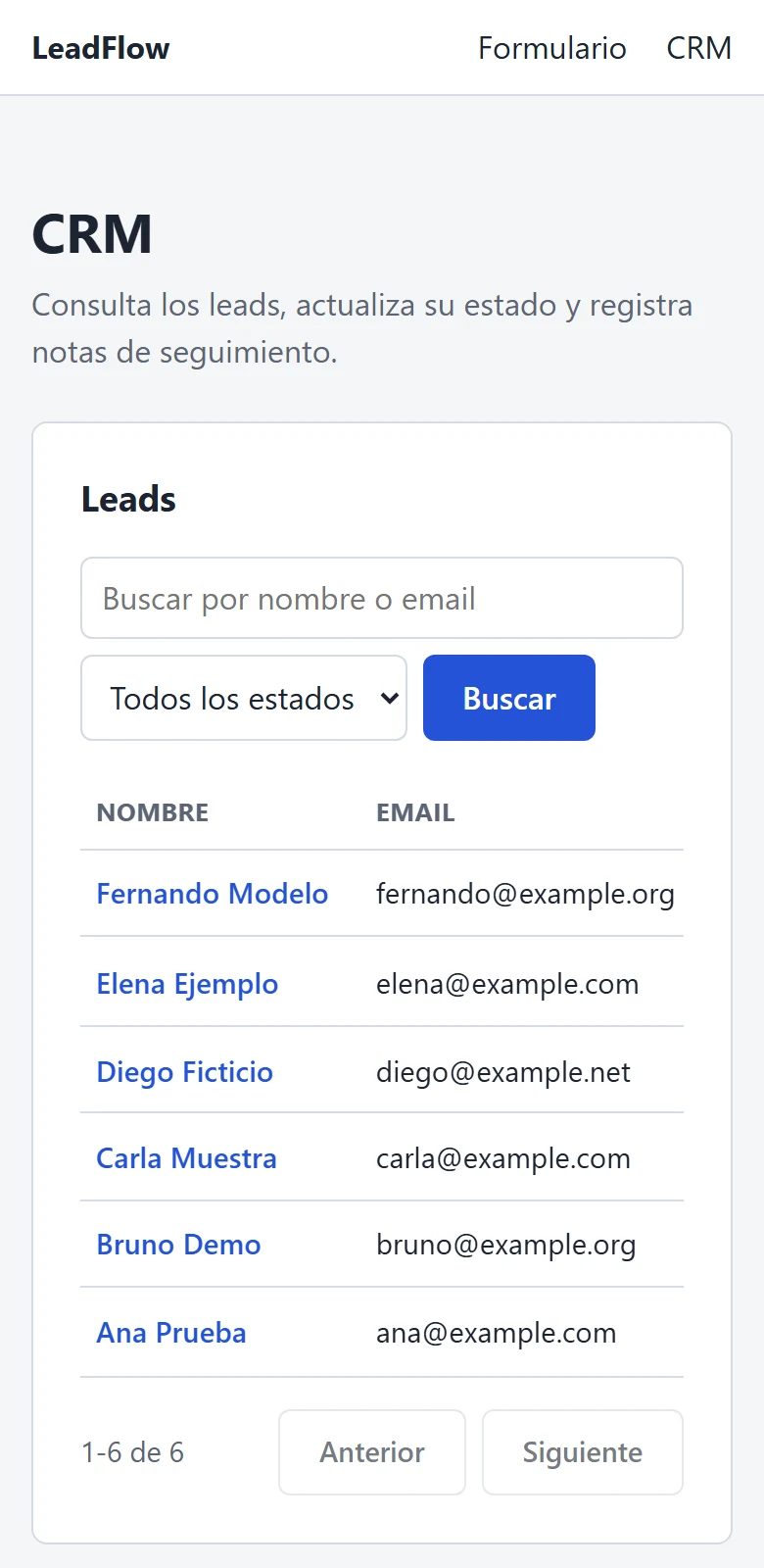
  • Search the leads by name or email and filter them by status
  • Change a lead's status with an optional reason
  • Add follow-up notes and read each lead's history
Code on GitHub (opens in a new tab)

The whole flow in 13 seconds

Register a lead, open it in the CRM, change its status and add a note. Fictitious data, with the API simulated in the browser.

Technical detailsFeatures, decisions, tests and limitations
Live demo
No public demo: it runs locally.
Built with

Python, FastAPI, Pydantic 2, SQLAlchemy 2, psycopg 3, PostgreSQL 18, Next.js 16, React 19, TypeScript, Docker Compose, pytest, Playwright, Ruff

Features
  • Validated formChecks run in the browser and on the server; server errors appear next to the field they belong to.
  • Idempotent submissionsEach submission carries an event_id, so a retried submission never creates a second row.
  • No duplicate leadsThe same email from the same source is recognized as an existing lead. Both rules are enforced by UNIQUE constraints in PostgreSQL.
  • CRM panelPaginated list with search by name or email, a status filter, status changes with an optional reason, follow-up notes and history.
  • Clean error logErrors are stored after removing passwords, tokens, emails and phone numbers.
Technical decisions
  • The browser never calls the API directly.

    Next.js server routes forward each request to FastAPI with a timeout and return generic messages, so internal details stay hidden.

  • The proxy only accepts JSON.

    Other content types get a 415 and bodies over 64 KB get a 413, so another site open in the browser cannot post forms to it.

  • Logs carry identifiers only.

    event_id and lead_id, never names, emails or the text of notes.

How to run it

Requirements: Node.js 20 or later (tested with 24), Python 3.11 or later (tested with 3.14) and PostgreSQL 18, with Docker Desktop or a local install.

Windows PowerShell, as the project's README gives it.

  1. Settings: both files are ignored by Git; the example values work as they are with Docker

    Copy-Item .env.example .env
    Copy-Item frontend/.env.example frontend/.env.local
  2. Database: wait until it shows “healthy”

    docker compose up -d postgres
    docker compose ps
  3. Backend, terminal 1; the API documentation is at http://localhost:8000/docs

    cd backend
    py -3.14 -m venv .venv
    .\.venv\Scripts\Activate.ps1
    pip install -r requirements.txt
    python -m app.init_db
    uvicorn app.main:app --reload
  4. Frontend, terminal 2: the form at http://localhost:3000 and the CRM at /crm

    cd frontend
    npm install
    npm run dev
Tests you can run

148

backend tests

pytest, against a separate test database

17

end-to-end tests

Playwright in Chromium, with the API simulated in the browser

Code checked with Ruff.

cd backend
pytest
ruff check .

cd frontend
npx playwright install chromium
npm run test:e2e
Known limitations
  • No authentication: anyone with access can read and change every lead, so it is meant for local use only.
  • No migrations: tables are created if missing, but changes to existing tables are not applied.
  • No deployment, no Dockerfiles for the apps and no continuous integration.

Book Data Extractor Pro

Python web scraper with Excel and CSV export

Useful if you need the data from a public online catalogue in a spreadsheet, without copying it page by page.

Personal project with public code. It runs on your own machine; its tests run on GitHub Actions.

The problem

Copying product data from an online catalog, page after page, into a spreadsheet is slow, and it leaves inconsistent prices, missing fields and repeated rows.

What I built

Extracts title, price, currency, availability and URL from a paginated book catalog with Playwright, cleans the data, removes duplicates and exports Excel and CSV files. Built for scraping-practice sites such as books.toscrape.com.

How it runs
python main.py --limit 50
python main.py --profile my_site.json --limit 20
What you can do with it
  • Run one command and get the title, price, currency, availability and link of each product
  • Open the result as a formatted Excel file or an Excel-compatible CSV
  • See missing fields flagged instead of silently dropped
  • Point it at another catalog by writing a small site profile, without changing the code
Code on GitHub (opens in a new tab)
Technical detailsFeatures, decisions, tests and limitations
Built with

Python, Playwright, openpyxl, pytest, GitHub Actions

Features
  • Selectors live in JSON site profiles, separate from the scraping engine
  • Prices parsed with Decimal; missing fields flagged instead of dropped
  • Duplicates removed by normalized URL
  • Formatted Excel output and Excel-compatible CSV with formula-injection mitigation
  • Offline pytest unit tests run on GitHub Actions
How to run it

Requirements: Python 3.11, 3.12 or 3.13, and an internet connection.

Windows PowerShell, as the project's README gives it; the README also covers macOS and Linux.

  1. Virtual environment, dependencies and the Chromium browser for Playwright

    py -3.13 -m venv .venv
    .\.venv\Scripts\Activate.ps1
    python -m pip install -r requirements.txt
    python -m playwright install chromium
  2. Collect the first 50 books

    python main.py --limit 50
  3. Another catalog, with your own site profile

    python main.py --profile my_site.json --limit 20
Tests you can run
python -m pip install -r requirements-dev.txt
python -m pytest
Known limitations

Works on catalogs whose products are in the page HTML and paginate with links. No logins, captchas or infinite scroll.

Services

Two kinds of work: websites in three packages, and Python tools that handle data. Prices depend on the scope, so each project starts with a short conversation.

Web development

Three packages that differ in scope, design and interaction, not only in size. None of them needs a backend.

What each website package includes
EssentialProfessionalSignature
Best forA café, a shop or a professional who needs a clear presence and an easy way to be contactedA hotel, a clinic or a business with several services that need their own spaceA brand that wants its website to be part of how people remember it
Pages and sectionsOne page with up to six sectionsUp to five pages, or one long page with up to ten sectionsOne main experience page, plus up to four supporting pages
DesignA clean layout adapted to your brand colours, fonts and photosA custom design for your brand, with its own componentsOriginal art direction: a visual concept created for your brand
InteractionsLinks to call, write or find you on a mapAn image gallery with a full-screen viewer, and pages for each serviceInteractions designed for your content, such as a story told as the page scrolls
AnimationSubtle entrances as the page scrollsCoordinated scroll and section animationsElaborate scroll-driven animation and custom micro-interactions, with a reduced-motion version
ContactA link to your email or WhatsAppA contact form; an external form service, if you want one, is a separate costAs in Professional
PriceBased on project scopeBased on project scopeBased on project scope
I want a site like this: EssentialI want a site like this: ProfessionalI want a site like this: Signature
  • Essential

    Best for
    A café, a shop or a professional who needs a clear presence and an easy way to be contacted
    Pages and sections
    One page with up to six sections
    Design
    A clean layout adapted to your brand colours, fonts and photos
    Interactions
    Links to call, write or find you on a map
    Animation
    Subtle entrances as the page scrolls
    Contact
    A link to your email or WhatsApp
    Price
    Based on project scope
    I want a site like this: Essential
  • Professional

    Best for
    A hotel, a clinic or a business with several services that need their own space
    Pages and sections
    Up to five pages, or one long page with up to ten sections
    Design
    A custom design for your brand, with its own components
    Interactions
    An image gallery with a full-screen viewer, and pages for each service
    Animation
    Coordinated scroll and section animations
    Contact
    A contact form; an external form service, if you want one, is a separate cost
    Price
    Based on project scope
    I want a site like this: Professional
  • Signature

    Best for
    A brand that wants its website to be part of how people remember it
    Pages and sections
    One main experience page, plus up to four supporting pages
    Design
    Original art direction: a visual concept created for your brand
    Interactions
    Interactions designed for your content, such as a story told as the page scrolls
    Animation
    Elaborate scroll-driven animation and custom micro-interactions, with a reduced-motion version
    Contact
    As in Professional
    Price
    Based on project scope
    I want a site like this: Signature

Every package includes a responsive design, basic SEO, accessibility and a site ready to publish as static files.

Not included unless agreed separately: a backend, an online shop, a content management system or user accounts.

See my site and the concept demos in Web development

Python, data & automation

Freelance work in the same areas as my Python projects: tools for your data and your process.

  • Data import and review tools

    Upload CSV, Excel or PDF files, validate every row, flag duplicates and let a person approve the result before it is saved.

  • Web scraping to Excel or CSV

    Collect specific fields from pages you are allowed to scrape and deliver clean, deduplicated spreadsheets.

  • APIs and small web apps

    FastAPI and PostgreSQL backends with input validation and duplicate protection, connected to a Next.js interface.

  • Data cleaning and spreadsheet automation

    Turn repeated manual steps into a script: exact number parsing, normalized values and formatted Excel output.

See the projects in Python, data & automation

How we work

Four steps, from your first message to the delivery.

  1. A first conversation

    You tell me what takes your team time, or what your website needs to do. I ask what I need to understand the problem before suggesting anything.

  2. A written proposal

    Before I start, you receive in writing what I will deliver, what is included and what is not.

  3. Work you can review

    While I work, I share progress you can open and check, so you can see that it is going in the right direction.

  4. Delivery

    You receive the code and the documentation agreed in the proposal.

About

If someone in your business copies data from Excel or PDF files into another system, checks it by hand and mistakes still get through, I can automate that work. I build tools that check the information, keep the process in order and let you review the data before it is saved.

I also build professional websites, so your customers understand what you offer and how to reach you.

I'm Luis Pimentel, a junior Python developer working remotely from Potosí, Bolivia, with Python, FastAPI and PostgreSQL, and with frontend tools such as Next.js when a project needs an interface. I work in Spanish; in English, our communication will be mainly written.

Tools I use

Only what these projects actually use, and where you can see each tool.

Languages
  • PythonQuoteFlow, LeadFlow, Book Data Extractor Pro
  • TypeScriptQuoteFlow, LeadFlow
  • JavaScriptQuoteFlow
Frameworks and libraries
  • FastAPIQuoteFlow, LeadFlow
  • Pydantic 2QuoteFlow, LeadFlow
  • SQLAlchemy 2QuoteFlow, LeadFlow
  • AlembicQuoteFlow
  • Next.js 16 and React 19QuoteFlow, LeadFlow
  • Playwright (scraping)Book Data Extractor Pro
  • openpyxlQuoteFlow, Book Data Extractor Pro
  • pypdfQuoteFlow
Databases
  • PostgreSQL 18QuoteFlow, LeadFlow
Tools
  • pytestQuoteFlow, LeadFlow, Book Data Extractor Pro
  • Playwright TestLeadFlow
  • node:testQuoteFlow
  • RuffQuoteFlow, LeadFlow
  • Docker ComposeQuoteFlow, LeadFlow
  • GitHub ActionsBook Data Extractor Pro
  • n8nQuoteFlow
  • Git and GitHubQuoteFlow, LeadFlow, Book Data Extractor Pro

Frequently asked questions

Who registers the domain, and where is the site published?

We agree on both in the written proposal, before I start. The websites I build are static files, so they can be published on many hosts, including free static hosting such as GitHub Pages.

What do I need to provide?

For a website: your texts, your logo, the photos you want to use and your business details, such as what you offer, your hours, where you are and how to contact you. For a data tool: example files with the real data removed or replaced, and a short description of what you do with them today. Please don't send passwords or sensitive personal data.

How quickly do you reply, and in which language?

I reply within 24 hours. I work in Spanish; in English, our communication will be mainly written.

Contact

Tell me what you need. The form prepares an email for you; nothing is sent from this page.

Available for freelance projects, remote.

A few lines about your business or your data are enough.

Nothing is sent from this page: your email app opens with the message ready, or you can copy it.

What happens next

  1. Your email app opens with the message ready, or you copy it.
  2. You send it from your own email; nothing is sent from this page.
  3. I reply within 24 hours to ask what I need and plan a first conversation.

I work in Spanish; in English, our communication will be mainly written. I'm in Potosí, Bolivia (UTC−4).

Or write directly

Please don't include passwords, credentials or sensitive personal data in your first message.

Found me on Upwork? Please keep all communication in Upwork Messages until a contract is in place, as Upwork's terms require.